

CCRAS Staff Nurse Answer Key 2026 Released: Download Link & Objection Process @ ccras.nic.in
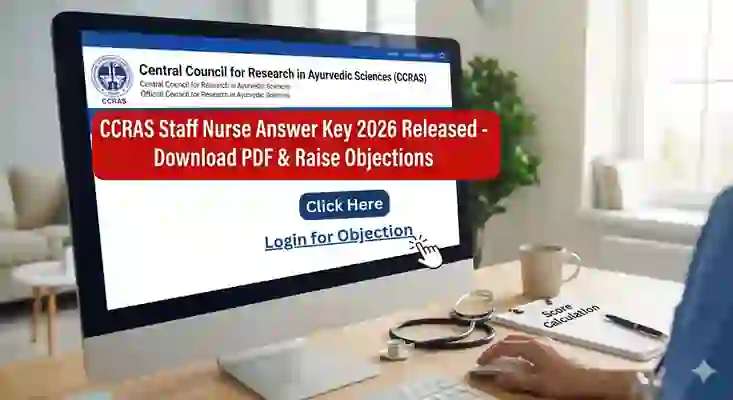
The wait is finally over for thousands of medical professionals who appeared for the prestigious recruitment exam conducted by the Central Council for Research in Ayurvedic Sciences (CCRAS). The council has officially released the CCRAS Staff Nurse Answer Key 2026 on its official portal.
This provisional answer key is the most important update before the final result. It helps you estimate your score and (most importantly) gives you a short window to raise objections if you spot any wrong/ambiguous answers. Don’t delay—these objection windows usually stay open for a limited time.
Quick Access: Visit the official website to download the key and check objection updates: ccras.nic.in
CCRAS Staff Nurse Exam 2026: Quick Overview
| Event | Details |
|---|---|
| Organization | Central Council for Research in Ayurvedic Sciences (CCRAS) |
| Post Name | Staff Nurse |
| Exam Year | 2026 |
| Answer Key Status | Released (Live Now) |
| Objection Window | Open (Limited Time) |
| Official Website | ccras.nic.in |
| Next Stage | Final Answer Key & Result Declaration |
Why the Provisional Answer Key is Important
Many candidates ignore the answer key and wait for the final result. That’s a mistake. The CCRAS Staff Nurse Answer Key 2026 matters for two big reasons:
- Transparency: You can verify if the responses have been evaluated correctly.
- Error Correction: If any answer is wrong/ambiguous, this is your only chance to challenge it. After the final key, objections are usually not accepted.
How to Download CCRAS Staff Nurse Answer Key 2026
The official website may feel confusing during peak traffic. Follow these steps to download your answer key and response sheet:
- Visit the official portal: ccras.nic.in
- Open the Careers/Vacancies section or check the “What’s New” updates.
- Find the notice related to the answer key for the Staff Nurse post.
- Login to candidate portal using:
- Application Number / Roll Number
- Password or Date of Birth
- Open “View Response Sheet” / “Download Answer Key”.
- Download the PDF and save it for reference (questions, your marked option, and official correct option).
Pro Tip: Download and save the PDF immediately. Answer key links can become unavailable after the objection window closes.
How to Calculate Your Tentative Score
Don’t just glance at the answers—calculate your raw score. This helps you estimate where you stand before results and compare with expected cut-off trends.
- Count the total number of questions you attempted.
- Match your marked answers with the official key.
- Count your correct answers.
- Count your incorrect answers.
- Apply the marking scheme mentioned in your exam details.
Note: Check your admit card/official instructions for the exact negative marking value (often 0.25 or 0.33 per wrong answer in many exams).
Formula: (Total Correct × Marks per Question) – (Total Wrong × Negative Marking) = Raw Score
Objection Window: How to Challenge a Wrong Answer
This is the most time-sensitive step. If you believe a question has an incorrect official answer, you can challenge it during the objection window with valid proof.
Steps to Raise an Objection
- Login again via the objection link (usually on the same candidate dashboard).
- Select the Question ID exactly as shown in your response sheet.
- Choose the objection type such as:
- All options are incorrect
- More than one option is correct
- Official answer key is incorrect
- Upload proof from a standard reference book/source (coaching notes are usually not accepted).
- Pay the objection fee (often charged per question; refund policy depends on rules for 2026).
- Submit your objection before the deadline.
Do not wait for the last hour! Heavy server load and payment issues are common near the deadline. If you are confident, file your objection early.
What Happens After the Objection Window Closes?
After the objection deadline, CCRAS subject experts review all challenges:
- If an objection is valid, the answer key may be updated.
- The Final Answer Key will be published.
- Results are prepared based on the Final Answer Key, not the provisional one.
- If a question is dropped/nullified, marks may be awarded to all candidates (policy-based).
Expected Cut-Off & Result Date
Official cut-offs are announced with the result, but expected cut-off levels depend on:
- Difficulty level of the question paper
- Total vacancies
- Number of candidates who appeared
Result Timeline (Expected): Results often come 15–25 days after the objection window closes. You may expect the merit list by late February or early March 2026.
Troubleshooting: Common Issues
1) “I can’t login to the portal.”
- Re-check your Application ID/Roll Number.
- Ensure DOB format matches the portal (DD-MM-YYYY or DD/MM/YYYY).
- Use “Forgot Password” if available.
2) “The answer key PDF is blank.”
- Try Incognito/Private mode.
- Switch browser (Chrome/Edge) or use a different device.
3) “Payment failed but money was deducted.”
- Wait 24 hours and re-check status in the portal.
- If not updated, contact CCRAS support with transaction reference details.
Conclusion
The release of the CCRAS Staff Nurse Answer Key 2026 is the first major step towards your final selection. Use this window smartly: download your response sheet, calculate your tentative score, and challenge any wrong answers with solid proof. In competitive exams, even 1 mark can change your rank.
Action Reminder: Download the answer key now and submit objections early (if required) from: ccras.nic.in
Stay tuned for updates on the Final Answer Key and Merit List declaration.
Exam updates
Stay ahead with instant updates
Join our Telegram and WhatsApp channels for the latest exam news, admit cards, and results.

FAQs
Frequently asked questions
Clear answers about this update, pulled directly from the announcement.